Every conversation, turned into clear notes.
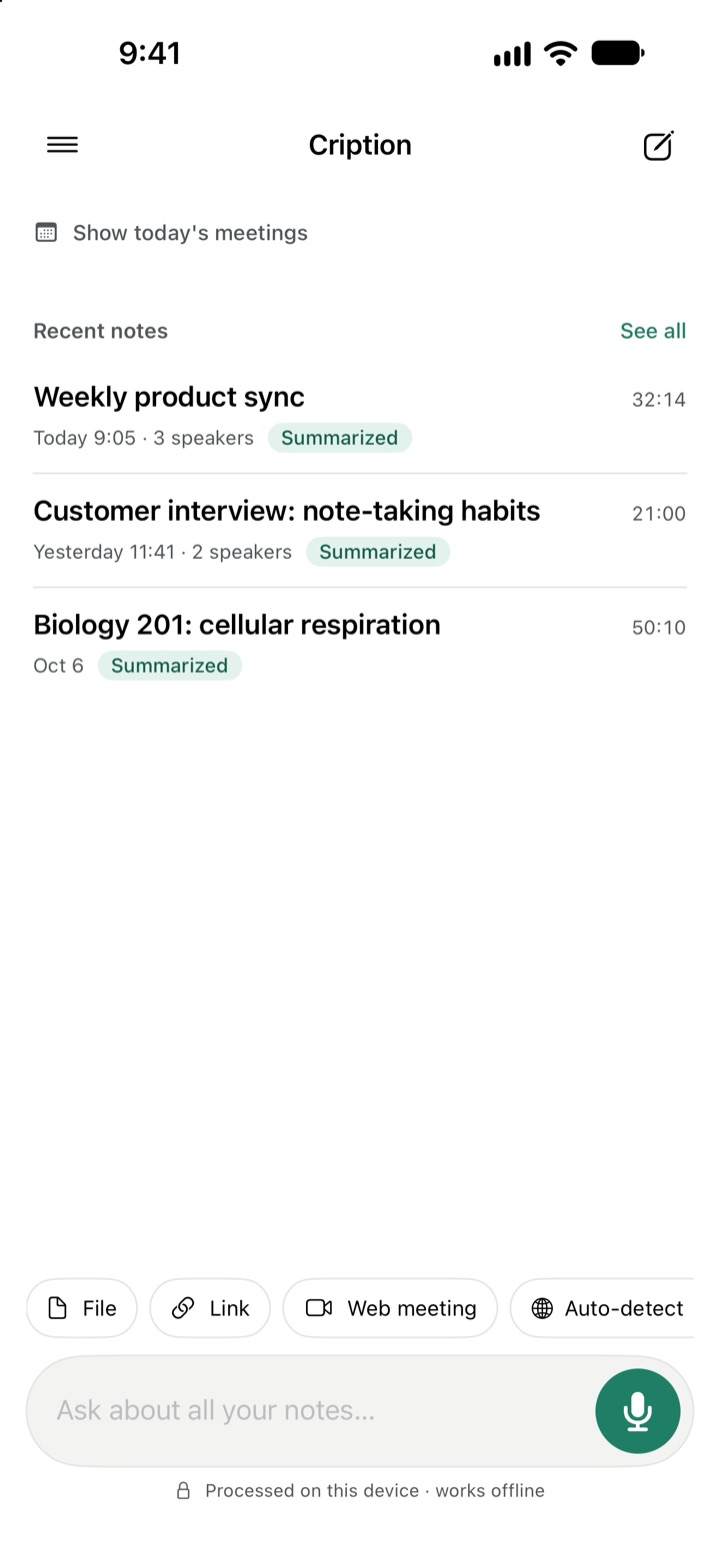
Cription records, transcribes and summarizes meetings, interviews and lectures in up to 62 languages, entirely on your iPhone. No account, no upload.

Free to download · iPhone
- languages at production quality
- 62
- accounts or sign-ups needed
- 0
- transcription on your iPhone
- 100%
Summaries
Know what was decided, in seconds.
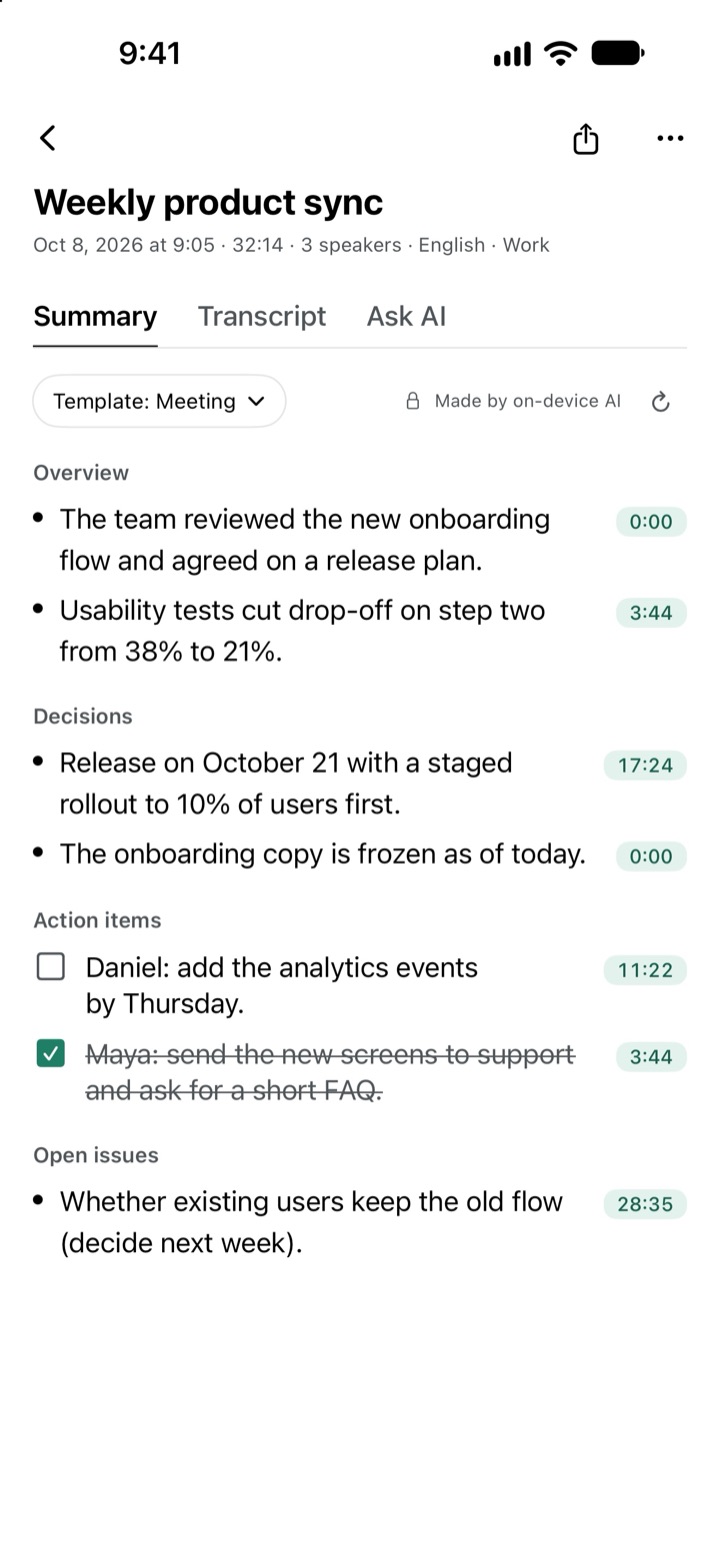
On-device AI turns each recording into an overview, decisions, action items and open issues. Tap any timestamp to jump to that moment.
- Templates for meetings, interviews, lectures and sales calls
- Action items you can check off
- Formal minutes you can export to Word or PDF
Transcript
Every word, and who said it.
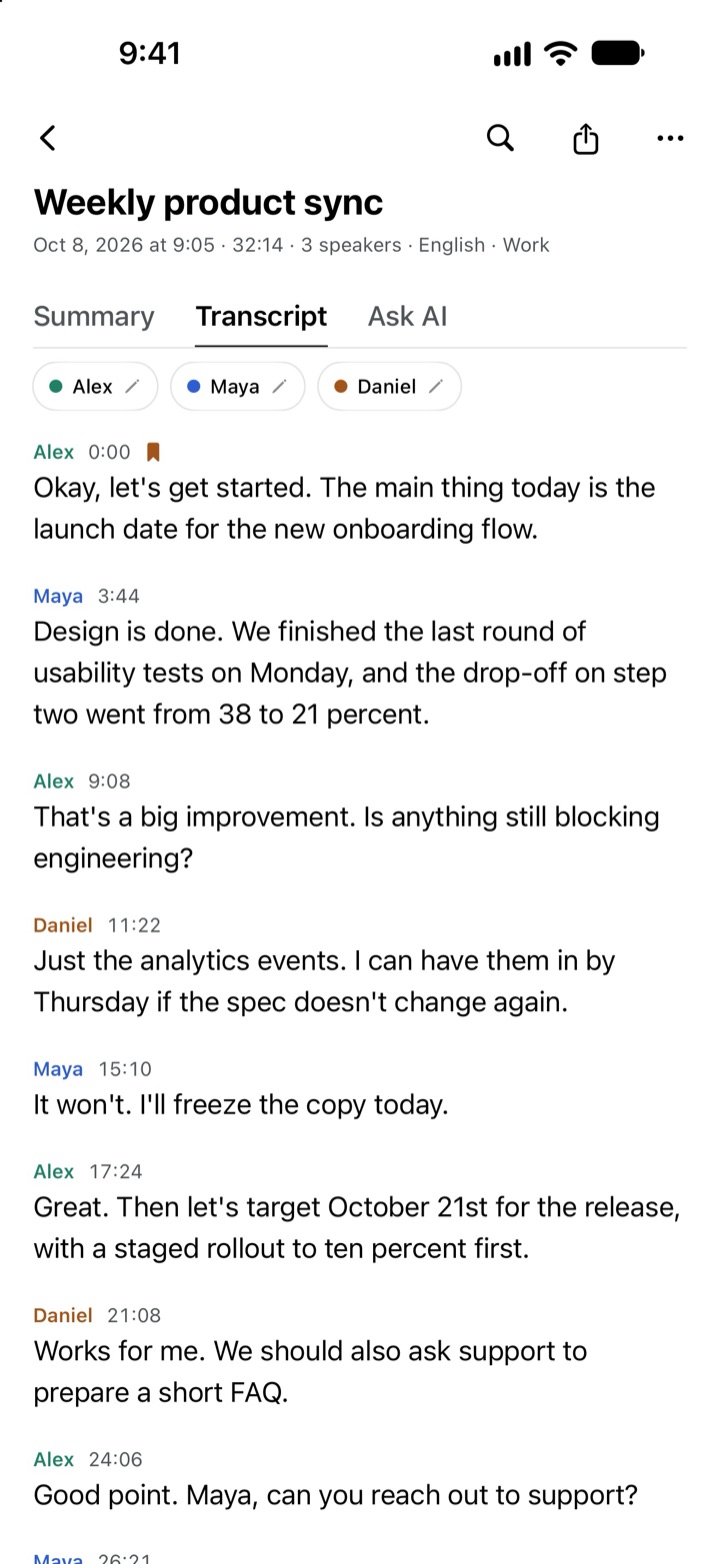
Speaker labels, timestamps and bookmarks make long recordings easy to scan and easy to quote.
- Speaker labels you can rename
- Bookmarks and timestamps
- Search, find and replace
Online meetings
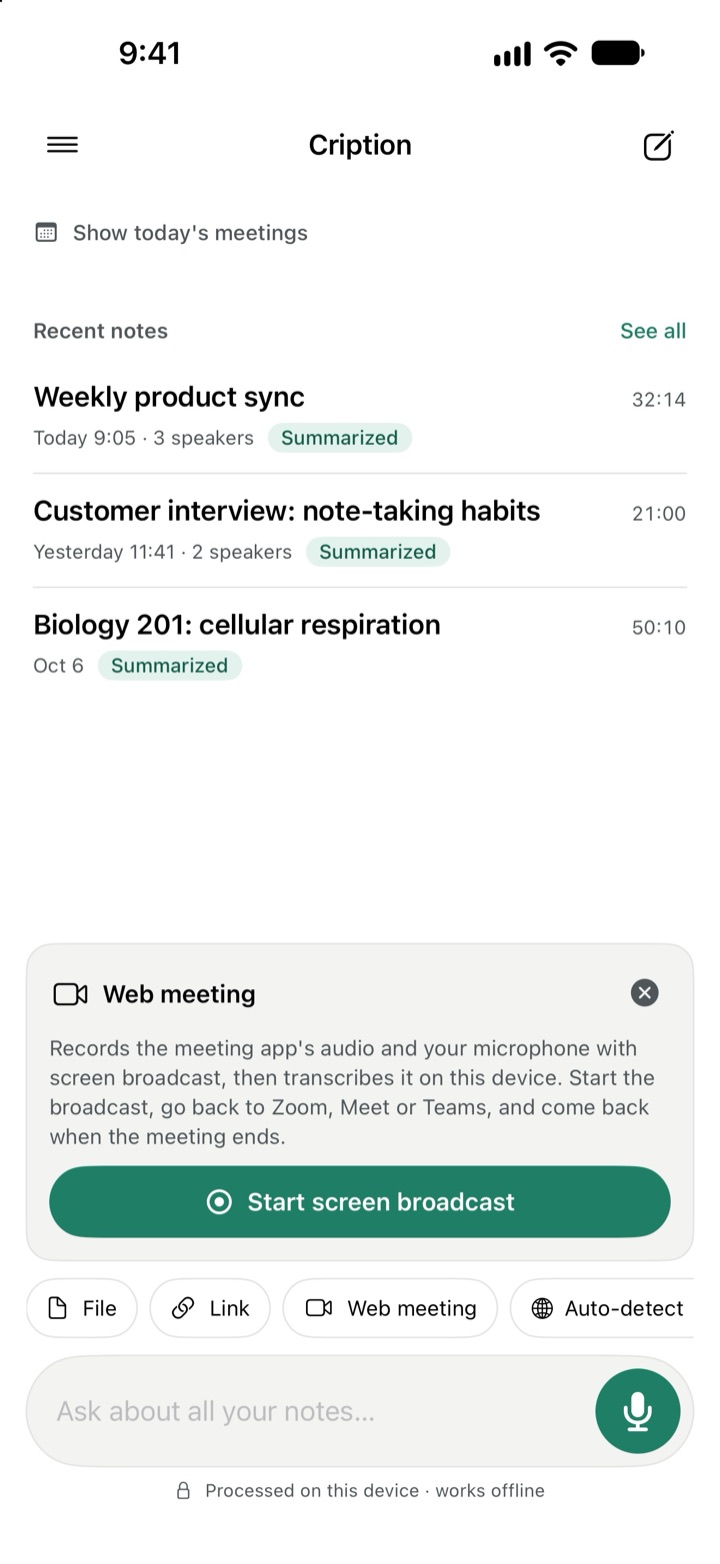
Capture Zoom, Meet and Teams calls.
Start a screen broadcast, go back to your meeting app, and Cription records both the meeting audio and your microphone, then transcribes it on your iPhone.
- Works with any meeting app
- Meeting audio and your voice together
- Import audio and video files, too
Organize
All your notes, easy to find.
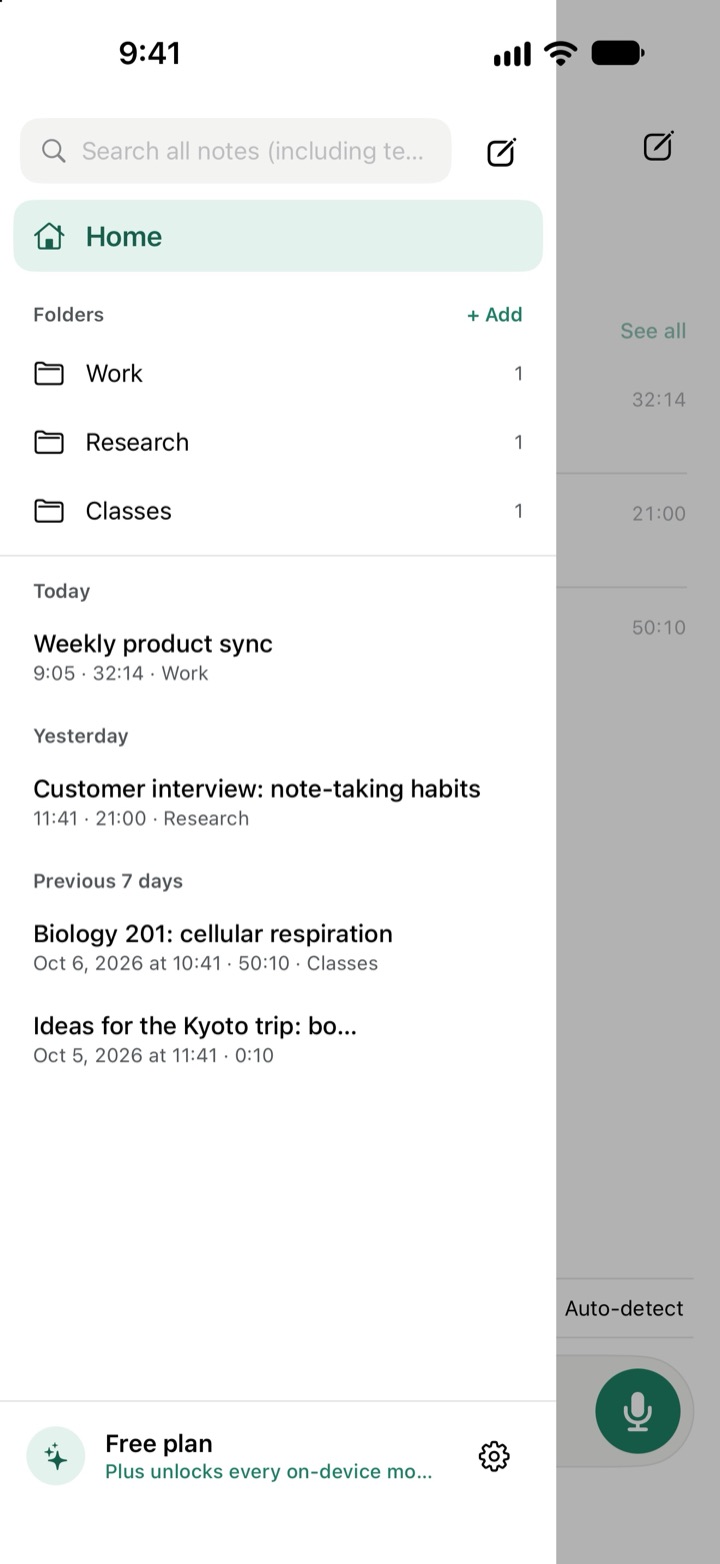
Sort notes into folders, search every transcript at once, and share as text or Markdown.
- Folders for work, research and classes
- Search across all notes, including transcripts
- Export to PDF, Word and subtitles with Plus
Speech models
The right model for every language.
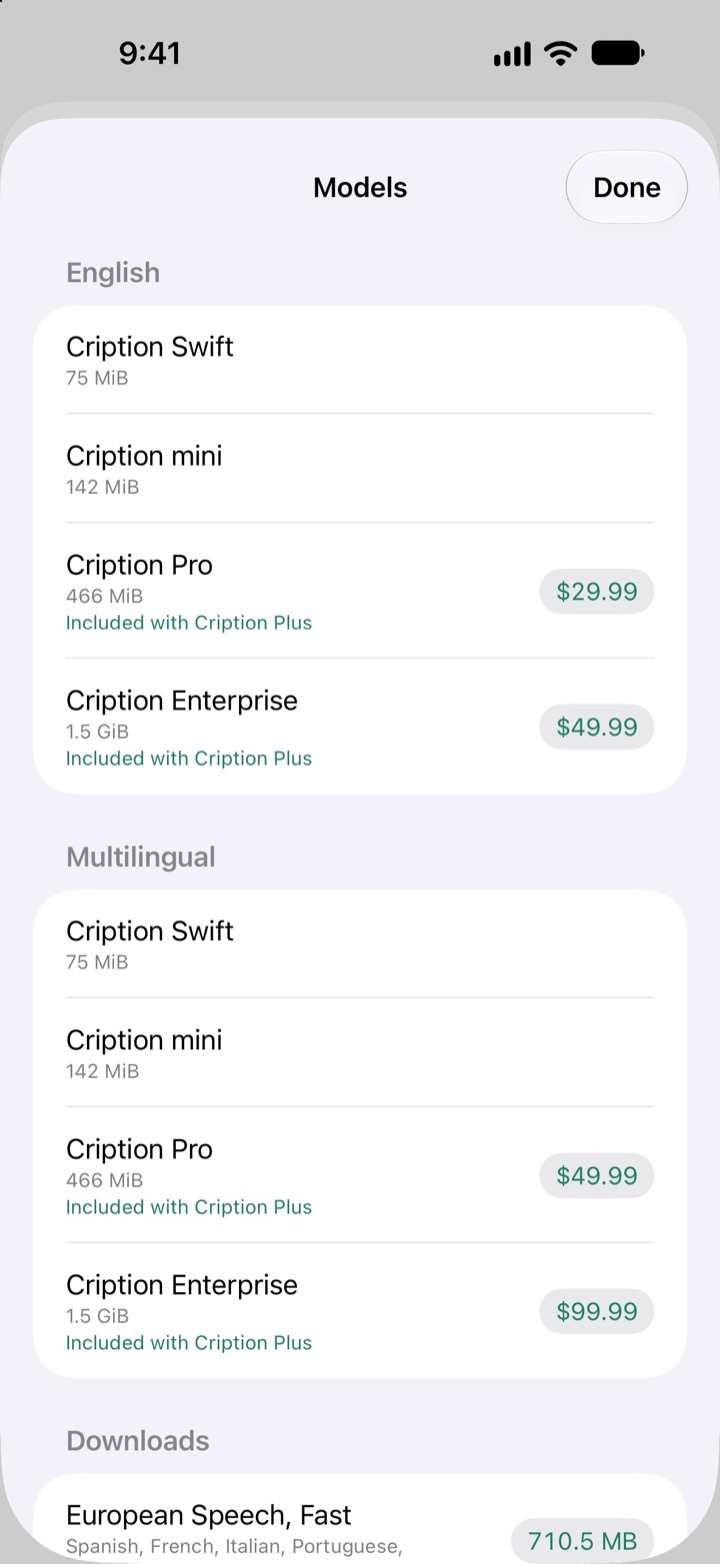
Cription picks the most accurate on-device model for each language and downloads it when needed. Switch to a faster or more accurate model any time.
- Up to 62 languages, measured on the FLEURS benchmark
- Automatic language detection
- Every model is included with Plus
Private by design
Your audio never leaves your iPhone.
Recordings, transcripts and summaries are stored on your device. We don't run servers that keep them, and you never need an account.
On-device AI
Transcription and summaries run on your iPhone.
Works offline
No internet needed once a model is downloaded.
No account
Open the app and start recording.
App lock
Protect your notes with Face ID.
Made for the moments you can't miss
Meetings
Decisions and action items, ready when the call ends.
Interviews
Clean quotes with speaker labels and timestamps.
Lectures
Study notes from every class, in your language.
Sales calls
Needs, objections and next steps, captured.
Start free. Upgrade when you need more.
Free
Everything you need to transcribe.
- Unlimited on-device transcription with the built-in models
- Speaker labels, bookmarks and folders
- Automatic General summaries
- Share as text or Markdown
- App lock and meeting reminders
Cription Plus
Weekly, monthly or yearly. The yearly plan starts with a 7-day free trial.
- Summary templates and formal minutes
- Translate notes on your iPhone
- Export to PDF, Word and subtitles (SRT/VTT)
- Custom vocabulary for names and terms
- Chat with the on-device assistant
- Every on-device speech model
Larger models are also sold as one-time purchases. Payment is charged to your Apple Account.
Questions
Do I need an internet connection?
No. Transcription and summaries run on your iPhone. You only need a connection to download a speech model the first time you use it, or to import audio from a link.
Are my recordings uploaded anywhere?
No. Audio, transcripts and summaries stay on your device. See the Privacy Policy for details.
Which languages are supported?
Up to 62 languages at production quality, measured on the FLEURS speech benchmark (fewer than 1 in 10 characters wrong). The number depends on your iPhone model.
How do I cancel Cription Plus?
Open Settings on your iPhone, tap your name, then Subscriptions. Cancel at least 24 hours before the current period ends.
Your next meeting can take notes by itself.
Download Cription for free on the App Store.